 USD
USD


StickerYou Blog
How QR Code Stickers Are Changing the Small Business Game
May 20, 2026
QR codes aren’t just for digital restaurant menus anymore; they’ve become a secret weapon for small businesses looking to bridge the gap between physical and digital experiences.
We’ve seen a 90 percent surge in small business owners adding these pixelated powerhouses to their orders. Why? Because they turn a simple sticker into a portal.
What Exactly is a QR Code?
Think of a QR (Quick Response) code as a high-tech barcode’s cooler, more capable cousin. While a standard barcode can identify a product, a QR code can store URLs, contact info or even Wi-Fi passwords. All your customer has to do is point their phone camera, and poof — they’re exactly where you want them to be.They’re also incredibly versatile. Unlike printed text that’s set in stone, many QR codes are dynamic. This means you can print your QR code labels once and update the destination URL whenever you like. This is perfect for things like menu refreshes, time-based and seasonal promotions and real-time edits.
Ways to Use QR Code Stickers
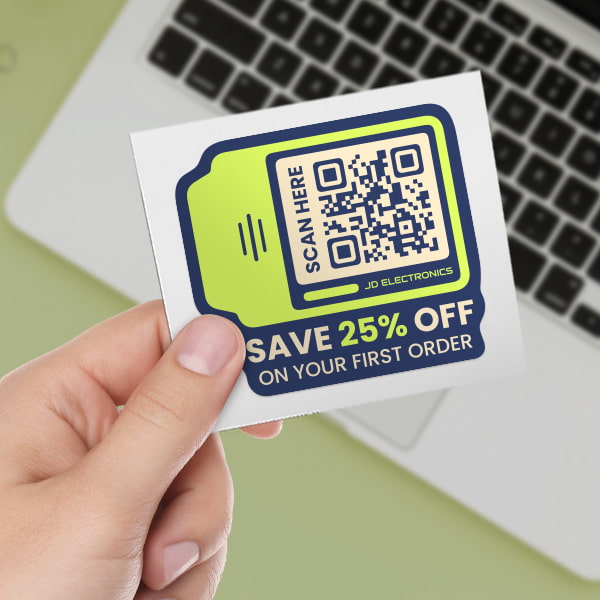
If you’re looking for inspiration, here are a few ways our community is currently using stickers with a QR code:
Business card: You can print business card stickers with a QR code. One scan adds your contact info directly to a customer’s phone. No typing required.
Interactive event stickers: Hand them out at trade shows with a link to your latest lookbook, special discounts and other exclusive information. Flyers often end up on the ground or in the garbage, but your sticker goes on a notebook or water bottle and links to your latest lookbook or a special discount.
Smart product labels: Small batch makers use QR code labels to link to ingredient lists, how-to videos or even the story of how the product was made.
The contactless menu: Perfect for tables, windows or takeout containers. It’s clean, efficient and easy to update if your daily specials change.
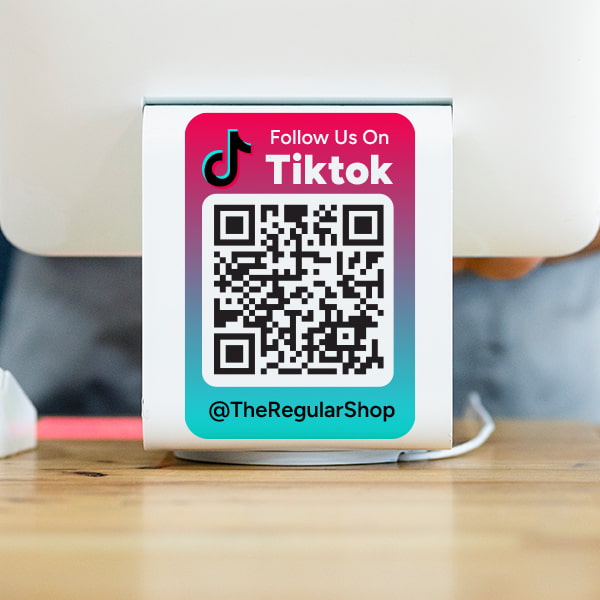
Event and business marketing decals: QR codes can turn walls, windows and even floors into interactive marketing tools. Add them to event signage, storefront windows or vehicle decals to instantly direct people to your website, a limited-time promotion, or your social media channels.

QR Codes: Paper vs. Stickers
You could print a QR code on a flyer or a business card, but QR code labels and stickers offer a level of versatility that standard paper just can’t. Here are some benefits of QR code stickers:
Durability: Our laminated QR code stickers are waterproof and UV-resistant. A paper flyer wilts in the rain, but a sticker stays put on a laptop, cooler, window, wall, or floor.
Placement: You can put a sticker on almost any surface — curved, flat, metal or glass.
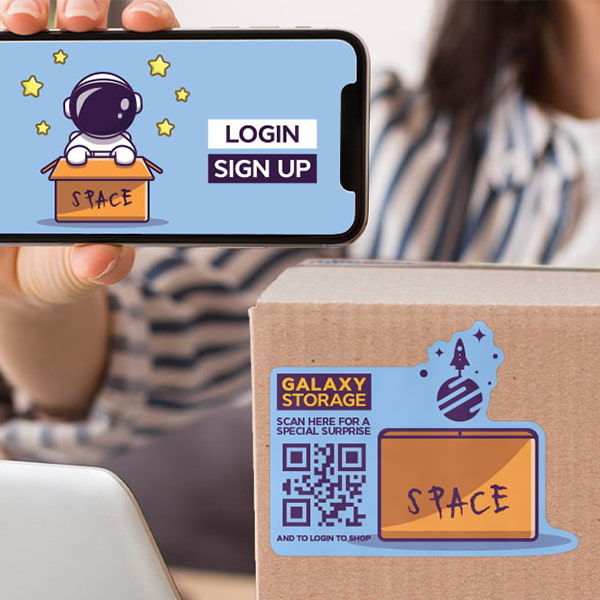
Low commitment: Want to turn a generic shipping box into an interactive experience? Just add a label. It’s cheaper than custom-printing 5,000 boxes.
How to Create Your Own QR Code Sticker
Creating a professional-looking sticker doesn’t require a degree in graphic design. Here is the simple breakdown:
1. Generate Your Code
First, you need to create a QR code using a reliable QR code generator. You can find many free tools online — just ensure the generator allows for dynamic codes if you think your URL might change later. This way, you don't have to reprint your stickers if you move your website.
2. Design with StickerYou
Once you have your code image (usually a PNG or JPG), head over to our editor. Then:
Upload your code: Drop it onto your chosen sticker shape and size.
Add your branding: Surround the code with your logo or a Scan Me call-to-action.
Choose your material: We recommend a glossy laminate to ensure the code stays scannable even after some wear and tear.
A note on materials: For the most reliable scans, use smooth, high-contrast surfaces. Avoid reflective or textured finishes like fuzzy, glitter, brushed aluminum, or holographic—these can confuse phone cameras and prevent reads. If you do choose holographic or glitter stickers, place the QR code on a solid white background area to maintain contrast and scannability.
3. Stick and Go
We handle precision printing. Our process is designed to be high-quality and high-speed, so you can get back to running your business while your stickers do the talking.
Ready to get started? Create your QR code stickers right now.
Follow us
Featured Posts
Packaging & Branding
- Game On: How Small Businesses Can Cash In on Fall & Winter Sports Season
- Gearing Up for the Holidays: How Small Businesses Can Prep Early (and Stand Out)
- Thinking About a Brand Refresh? Here's How to Try It Before You Buy In
- 9 Creative Ways To Use Roll Labels
- Introducing: Image Transfer (DTF) Iron-Ons
Tips & Tricks
- Game On: How Small Businesses Can Cash In on Fall & Winter Sports Season
- Gearing Up for the Holidays: How Small Businesses Can Prep Early (and Stand Out)
- AI Design Tools vs. Human Designers: A Side-by-Side Breakdown
- Why Nonprofit Branding Matters (and How to Do It Affordably)
- How Colleges Are Using Custom Stickers, Labels & Iron-Ons This Back-to-School Season
Customer Spotlight
- Customer Spotlight: Keeks Corner | StickerYou
- Customer Spotlight: Juicery Harlem | StickerYou
- Customer Spotlight: Horseshoe Valley Resort Geared Up for Crankworx with StickerYou 🚵♂️
- How to Start a T-Shirt Business at Home Using DTF Iron-On Transfers from StickerYou
- Genshin Impact x StickerYou Collaboration
Innovation
- TattooYou 101: Ink Your Entire World
- Our Products’ Durability: Testing and Results
- Benefits of StickerYou for Custom Products
- Permanent Stickers: The Adhesive That Won’t Quit
- 5 Creative Ways Brands are Using Custom Fuzzy Stickers
Guides/Tutorials
- AI Design Tools vs. Human Designers: A Side-by-Side Breakdown
- Why Nonprofit Branding Matters (and How to Do It Affordably)
- How Colleges Are Using Custom Stickers, Labels & Iron-Ons This Back-to-School Season
- Clear Decals vs. Vinyl Graphics: Which is Best for Your Car?
- Custom Sticker Printing FAQs: Everything You Need to Know